
ExoCLI: Opinionated Git-Annex Interface
Table of Contents

1. Defining ExoCLI and User Abstraction
ExoCLI serves as the primary command-line interface within the ExoHub ecosystem, designed to abstract the inherent complexity of git-annex and provide an accessible entry point for developers, data scientists, and automated systems.
The source code is available at https://github.com/genentech/exo-cli .
Instead of requiring users to master the extensive git-annex command set, ExoCLI provides intuitive, high-level commands that handle sophisticated data management workflows.
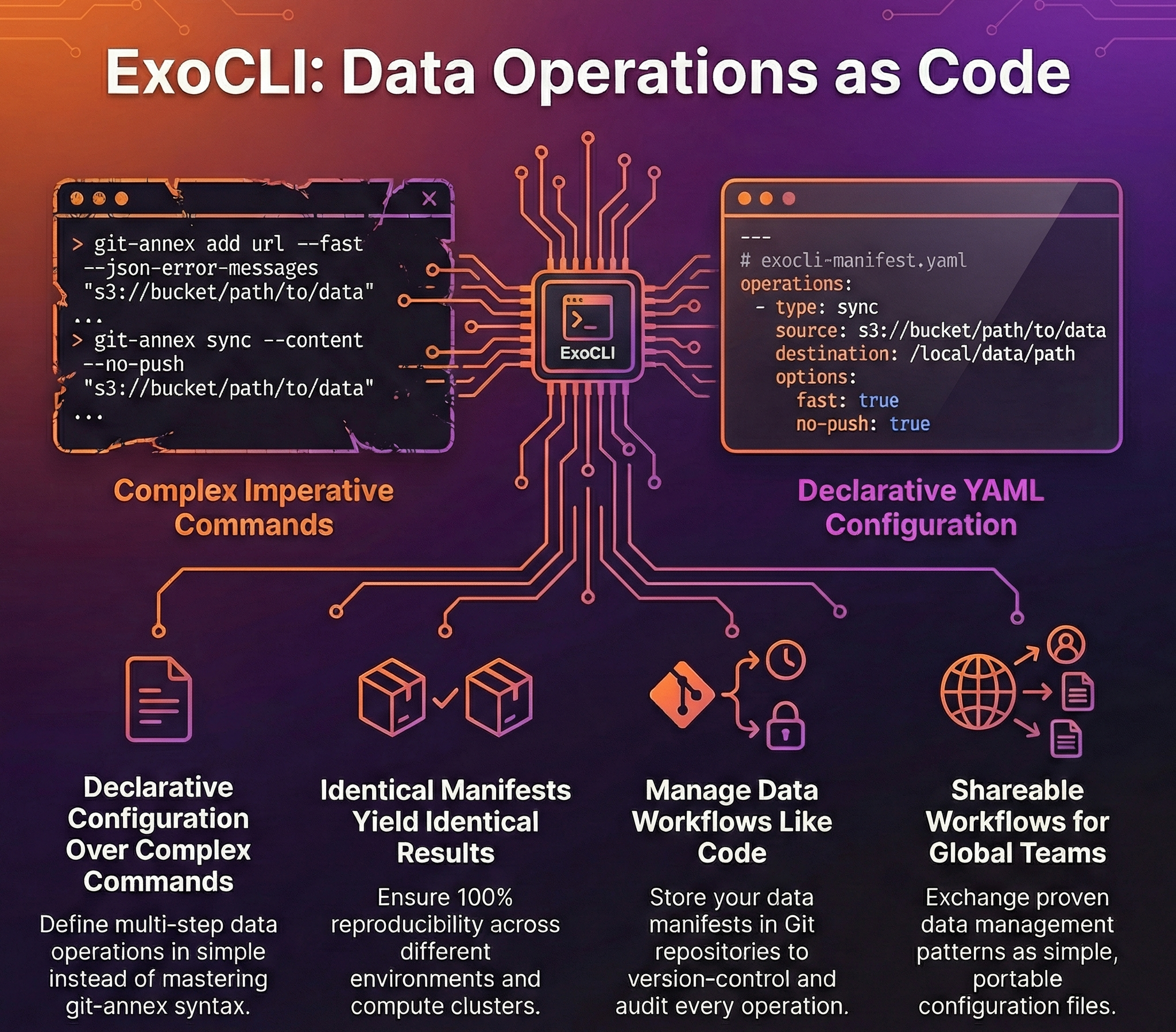
The interface introduces declarative YAML manifests, enabling complex, multi-step data operations to be defined, version-controlled, and executed repeatably. This approach transforms data management from imperative command sequences into declarative configurations, making workflows reproducible and shareable across teams.
ExoCLI bridges the gap between git-annex’s powerful capabilities and user productivity, ensuring that the benefits of distributed data versioning remain accessible without requiring deep technical expertise in the underlying tools.

2. Role in the ExoHub Architecture
ExoCLI functions as the user-facing layer of the ExoHub data management stack, translating high-level user intentions into precise git-annex operations while coordinating with other ExoHub components for comprehensive data lifecycle management.
Command Abstraction and Simplification
ExoCLI provides a comprehensive command set that maps complex git-annex operations to intuitive actions:
Core Data Management:
exo sync: Synchronize git-annex content and record bad filesexo copy: Copy annexed content between different storage remotesexo add: Add files to git-annex (direct pass-through to git-annex)exo export: Export annexed content for external consumption
Metadata and Communication:
exo broadcast: Broadcast git-annex metadata across remotesexo submit: Submit manifests to the ExoHub APIexo info: Show git-annex repository information and statistics
Repository Management:
exo init: Initialize repository and configure remotesexo context: Manage git host configurations and authenticationexo manifest: Validate and initialize ExoHub manifests
Maintenance and Diagnostics:
exo fsck: Inspect annex logs and repair corrupted filesexo link: Reconnect git-annex symlinks to external key storesexo mirror: Resolve annex keys and mirror content from S3exo heartbeat: Record and display system health metrics
Each command handles error management, progress reporting, and logging automatically, reducing the cognitive overhead for users.
YAML Manifest-Driven Operations
ExoCLI introduces a declarative approach to data operations through YAML manifests:
# pull-manifest.yaml
repository:
  url: "git@github.com:genentech/datasets/genomics-pipeline.git"
  version: "v2.1.0"
paths:
  - "raw-data/samples/*.fastq"
  - "processed/alignments"
remotes:
  primary: "s3-production"
  cache: "local-hpc"
This manifest-driven approach ensures that data operations are:
- Reproducible: Identical manifests produce identical results
- Version-controlled: Manifests can be stored alongside code in repositories
- Shareable: Teams can exchange proven data workflows as configuration files
- Auditable: Clear record of what data was accessed and when
3. Integration with ExoHub Components
ExoCLI serves as the orchestration interface that coordinates interactions between ExoHub’s distributed components.
ExoGit Integration
ExoCLI seamlessly interfaces with ExoGit repositories, handling:
- Authentication: Automatic SSH key management and Git hosting platform authentication
- Version Resolution: Translation of semantic versions to specific Git commits and tags
- Metadata Synchronization: Bidirectional sync of repository metadata and git-annex information
ExoWorkers Coordination
For large-scale operations, ExoCLI can delegate long-running tasks to ExoWorkers:
- Background Processing: Submit multi-terabyte transfers to resilient worker queues
- Progress Monitoring: Real-time status updates from distributed worker processes
- Failure Recovery: Automatic retry logic for interrupted data transfers
4. User Experience and Workflow Patterns
ExoCLI prioritizes developer experience through consistent interfaces and predictable behavior patterns.
Interactive and Scripted Workflows
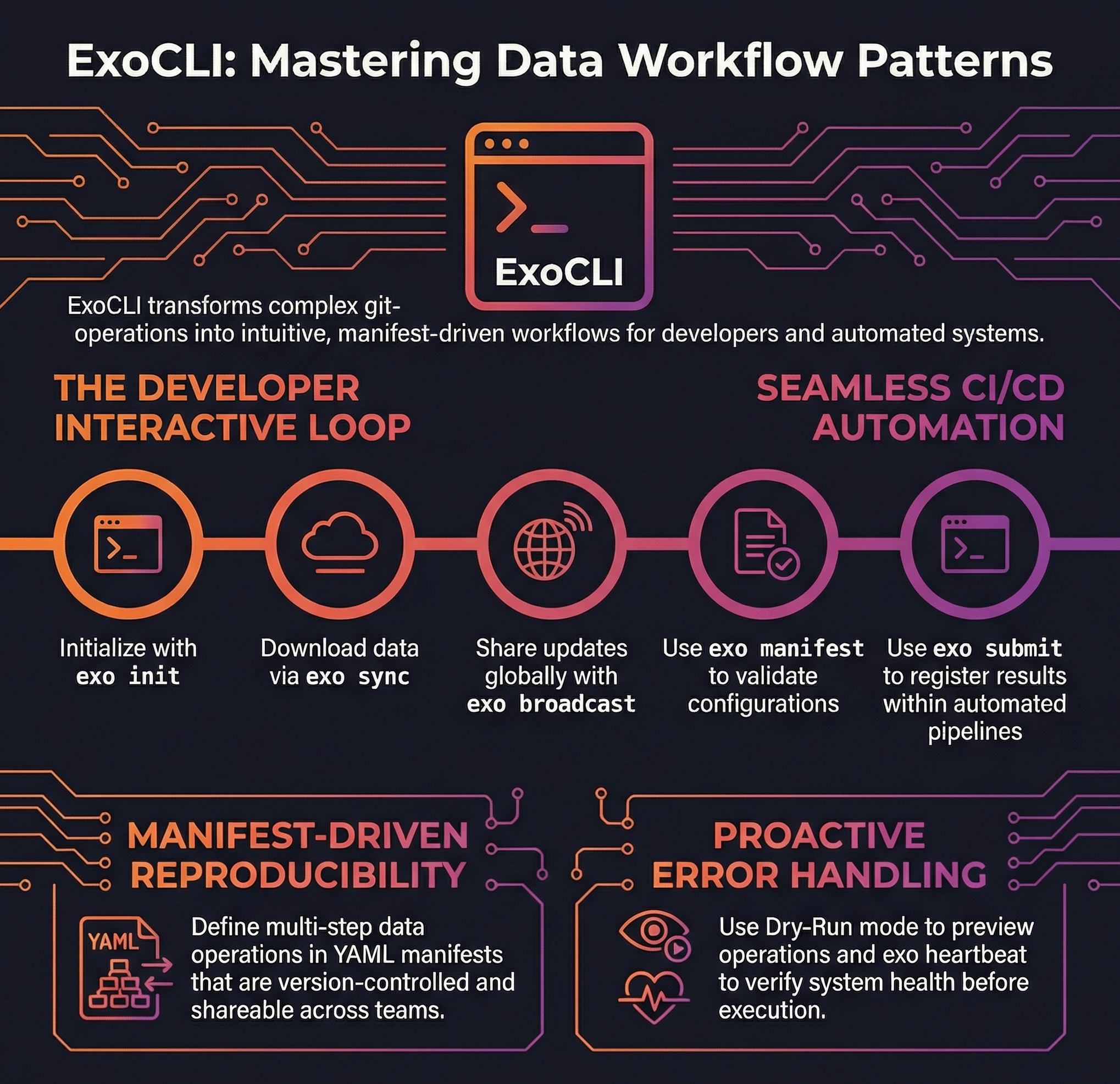
Developer-Driven Data Management: For interactive exploration and modification of datasets, ExoCLI provides immediate feedback and intuitive command structures. A typical workflow involves:
- Repository Setup: Clone the dataset repository using standard
git cloneand runexo initto initialize git-annex - Content Synchronization:
exo syncdownloads actual data files from configured remotes - Local Processing: Work with data using existing tools and workflows
- Content Addition:
exo add processed-results/adds new files to git-annex - Version Creation:
git commit -m "feat: add processed analysis results"commits the git-annex changes - Metadata Distribution:
exo broadcastshares metadata updates across remotes
Automated Integration: ExoCLI commands integrate seamlessly into CI/CD pipelines, data processing workflows, and scheduled automation:
# CI/CD pipeline example
git clone $DATASET_REPO dataset
cd dataset
git checkout $VERSION_TAG
exo manifest .exo/production-manifest.yaml
exo sync
python process_data.py
exo add processed-results/
git commit -m "feat: add automated processing results"
exo export processed-results/ --to s3-production
exo submit .exo/production-manifest.yaml
Error Handling and Diagnostics
ExoCLI provides comprehensive error reporting and diagnostic capabilities:
- Dry-Run Mode: Preview operations before execution to validate configurations
- Verbose Logging: Detailed operation logs for troubleshooting and auditing
- Health Checks: Built-in commands to verify system connectivity and configuration
5. Configuration and Extensibility
ExoCLI supports flexible configuration and extensibility to adapt to diverse organizational needs.
Context-Based Configuration
ExoCLI uses a simple context system to manage git host and organization settings:
Contexts: Named configurations that specify git host and organization details
Default Context: When no context is configured, defaults to host
https://github.com/genentech/withsandboxsub-pathContext Selection: Use
exo context select <name>to choose an active contextRuntime Override: Use
--context <name>flag to override the selected context for individual commands
Extensibility
ExoCLI integrates with the broader ExoHub ecosystem through:
- Manifest System: YAML-based workflow definitions for repeatable operations
- Context Management: Flexible configuration for different git hosts and organizations
- ExoHub API Integration: Direct submission of manifests via
exo submit - Git-annex Compatibility: Full access to underlying git-annex capabilities
Environment Integration
ExoCLI is designed as a command-line tool with specific platform requirements:
- Platform Support: Currently supports Linux, with macOS support in progress and Windows not yet supported
- Dependency Requirements: Built on git and git-annex, inheriting their system requirements and compatibility
6. Getting Started with ExoCLI
Installation and Setup
ExoCLI can be installed with a single command that automatically handles all dependencies:
# Install ExoCLI and all dependencies
curl -fsSL https://github.com/Genentech/exohub/releases/latest/download/install.sh | bash
This installer automatically downloads and configures:
exo: The main ExoCLI command-line interfacegit-annex: Core git-annex functionality for distributed data managements5cmd: High-performance S3 command-line toolgit-annex-remote-s5cmd: Custom external special remote extension for optimized S3 operations
# Verify installation
exo version

# Check available commands
exo help

# View current context status
exo context show
First Steps
Basic ExoCLI workflow for new users:
# Create and select a git host context
exo context create production --host https://github.com --org genentech
exo context select production

# Clone a dataset repository using standard git
git clone git@github.com:genentech/datasets/example-data.git
cd example-data

# Initialize git-annex in the repository
exo init

# Synchronize content from remotes
exo sync

# View repository information
exo info

# Check system health
exo heartbeat
Learning Resources
- Built-in Help:
exo help <command>provides detailed command documentation - Example Manifests: Sample YAML configurations for common workflows
- Integration Guides: Step-by-step setup for different environments
- Best Practices: Recommendations for team adoption and workflow optimization
ExoCLI transforms complex distributed data management into an accessible, productive experience while maintaining the full power and flexibility of the underlying ExoHub architecture.