Scheduling
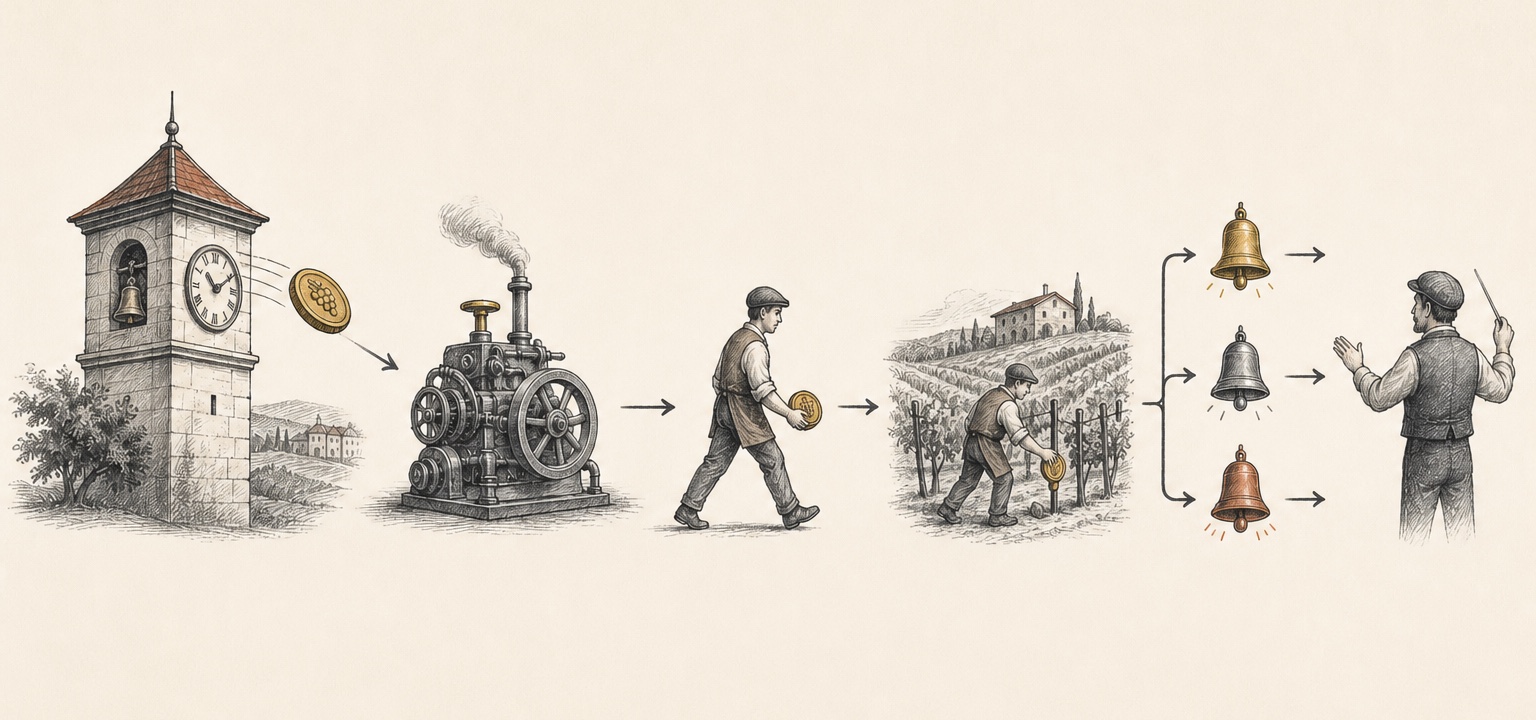
Pinard can spawn agents on a cron schedule — for nightly syncs, periodic checks, or any
recurring task. The scheduler runs inside the daemon (every 60s) and reads
schedules.yaml.
 Schedule
Daemon
Vendangeur
Vigne task
Outcome event
Conductor
Schedule
Daemon
Vendangeur
Vigne task
Outcome event
Conductor- 1Normal dispatch — the daemon evaluates the cron entry and spawns a worker.
- 2Backfill — a missed evaluation is found from the last-run ledger after restart.
- BBranch — the worker starts from the vigne's configured default branch.
- !Events — spawned, skipped, and failed outcomes require conductor acknowledgement.
Define a schedule
aoc add schedule nightly-sync \
  --project mnemosyne \
  --cron "0 2 * * *" \
  --prompt "Run the sync task and open an MR if anything changed"
This appends to schedules.yaml:
schedules:
  nightly-sync:
    project: mnemosyne
    cron: "0 2 * * *"
    prompt: "Run the sync task and open an MR if anything changed"
    once: false
| Field | Meaning |
|---|---|
project | Vigne to spawn the agent in |
cron | Standard 5-field cron expression |
prompt | Task prompt for the spawned agent |
once | If true, the schedule disables itself after its first successful run |
Manage schedules
aoc list-schedules            # schedules and their last run times
aoc unschedule --name nightly-sync
You can also edit schedules.yaml directly — the daemon hot-reloads it.
Branch selection
Scheduled spawns base their worktree on the vigne’s default branch (the same rule the
issue watcher uses). If a project’s default branch isn’t main, scheduled runs still
start from the right place — no extra configuration needed.
Backfill
The scheduler tracks the last run time per schedule in .state/scheduler-runs.yaml. If
the daemon was down across a scheduled tick, it evaluates whether the run was missed and
backfills rather than silently skipping.
Events
Each evaluation emits a scheduler event to the conductor (schedule_spawned,
schedule_skipped, or schedule_failed) as ACK_REQUIRED, so nothing runs unnoticed.